Once the criteria of an intelligence event have been met, you can view a list of the behaviour awards that caused the event to trigger. To do this, start by clicking on the Activity tab at the top of the page.

Next, click on the intelligence event that you would like to view in more detail.

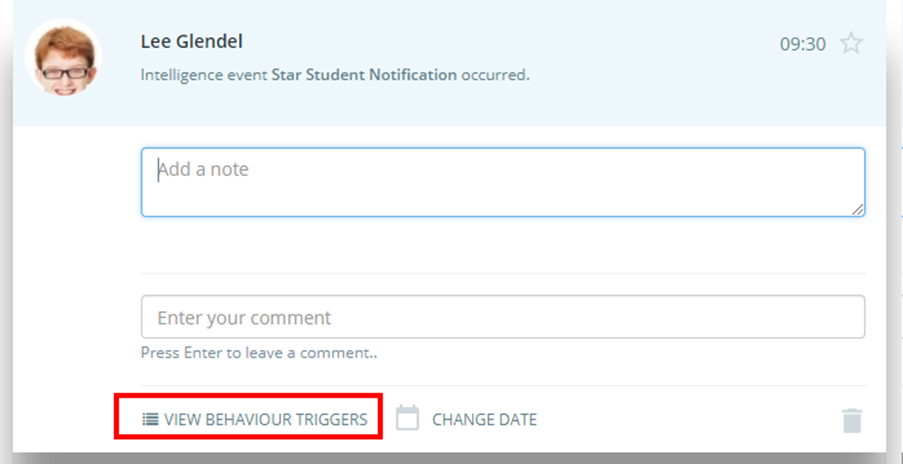
The intelligence event will expand in the activity feed to display additional options. Click on the button labelled View behaviour triggers.
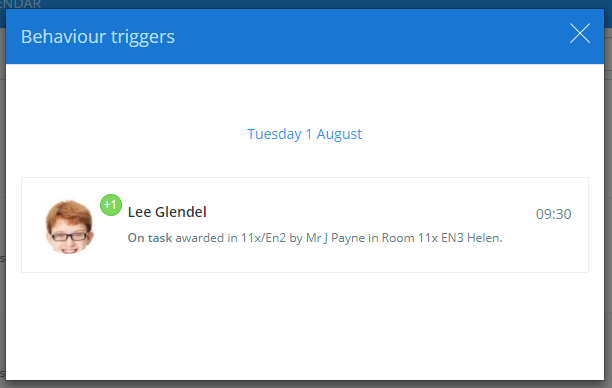
The popup window below will be displayed, showing the behaviour awards that caused the intelligence event to fire.
Was this article helpful?
That’s Great!
Thank you for your feedback
Sorry! We couldn't be helpful
Thank you for your feedback
Feedback sent
We appreciate your effort and will try to fix the article