Once aspects have been set up correctly in SIMS, they can be imported into Class Charts as custom fields.
To add aspects as custom fields, click on the three lines menu in the top right hand corner of the page and select Custom fields from the list of available options.
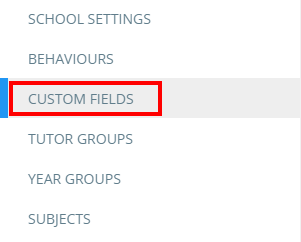
You will be presented with a list of fields that have been added to your school’s Class Charts account. Click on the Add from SIMS, etc button in the top right hand corner of the page.

A popup will appear that contains the aspects which were successfully imported from SIMS. Tick the aspects that you wish to add as custom fields and click on the OK button.
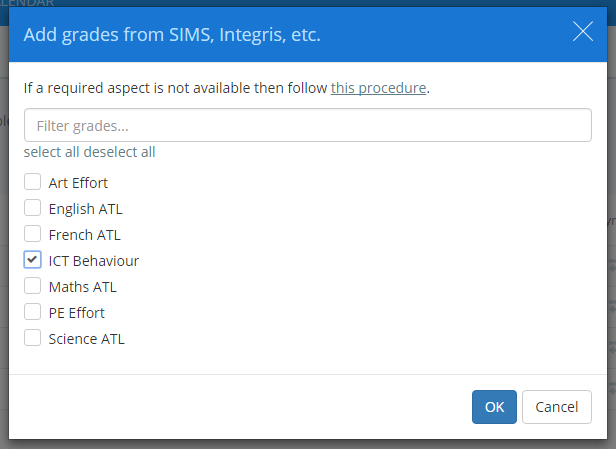
The aspects will now be available in the list of custom fields, ready to be applied to lessons and fieldsets.

Was this article helpful?
That’s Great!
Thank you for your feedback
Sorry! We couldn't be helpful
Thank you for your feedback
Feedback sent
We appreciate your effort and will try to fix the article