If your school has been integrated with Provision Map, SEN and Provision Map information can be displayed through Class Charts. Access to SEN information is controlled by Class Charts School Admins.
To choose which staff members can view SEN info, click on the three lines menu in the top right hand corner and select the Teachers option from the list.
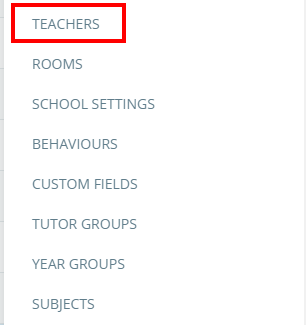
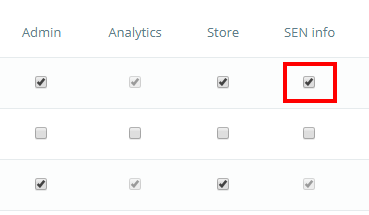
This will take you to a list of staff that have a Class Charts account. Tick the checkbox labelled SEN info on a selected teacher’s row to grant them access to SEN information.
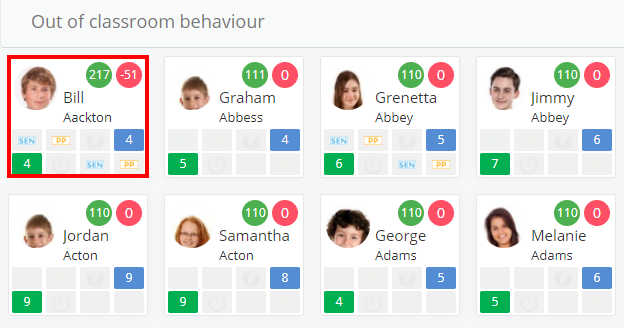
To view SEN information through Class Charts, select the relevant child by clicking on their pupil card.
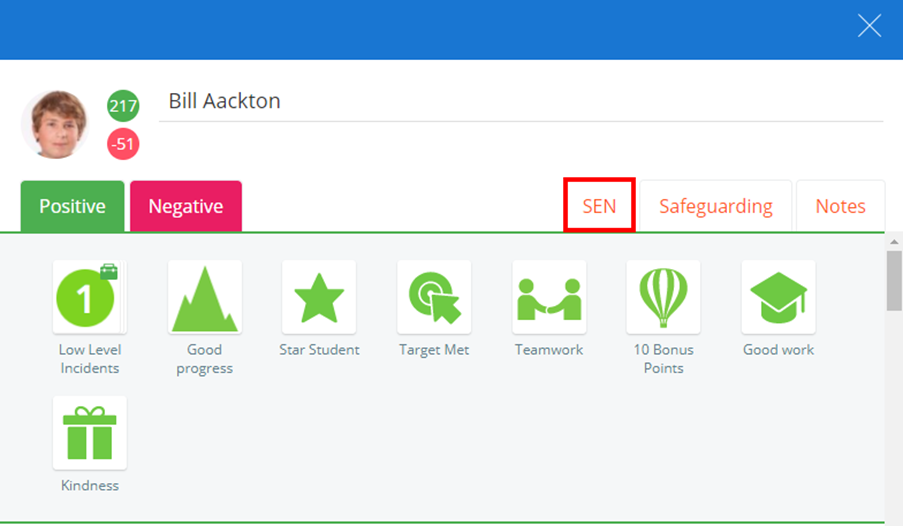
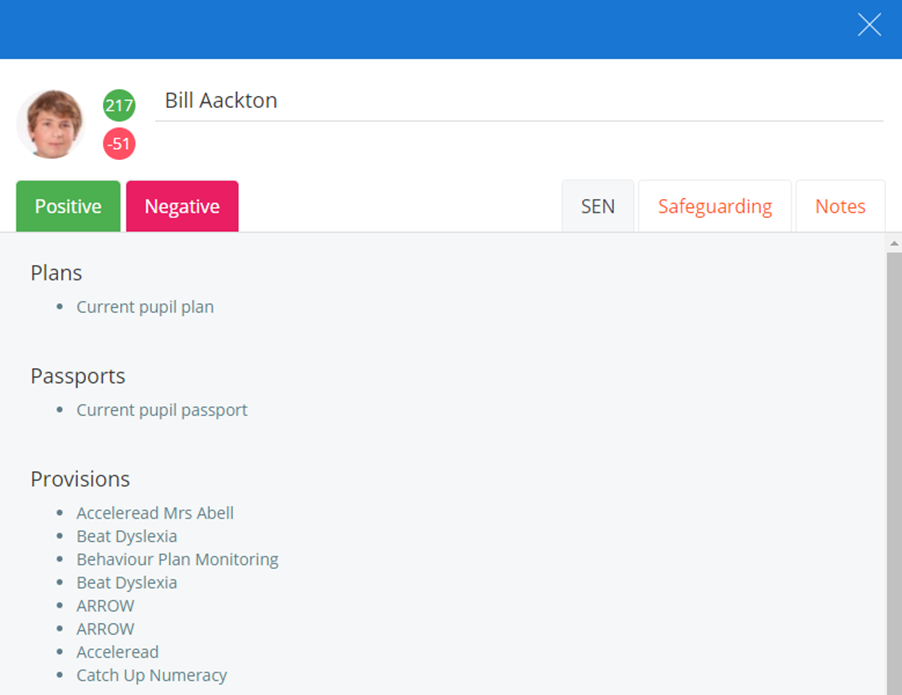
This will open up the pupil side menu. To access the SEN section, click on the SEN tab.
You will be presented with a list of the pupil’s plans, provisions and passports if they have been assigned them. Click on an entry in the list to produce a printable pdf copy of each document.
SEN Strategies
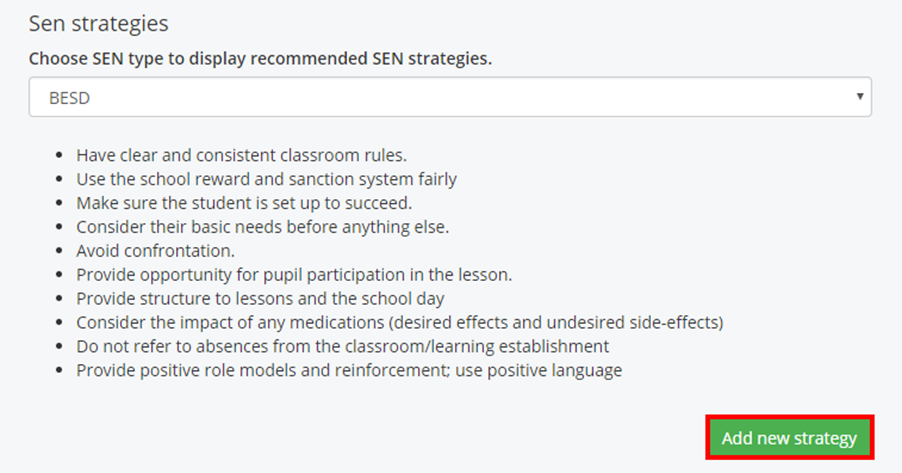
The SEN tab can also display a list of SEN strategies based on the pupil’s SEN type. To enable this, your school administrator for Class Charts must contact us so that we can switch the feature on.
You can change the strategies displayed by selecting a different SEN type from the drop down menu. To add your own strategies, click on the Add new strategy button.
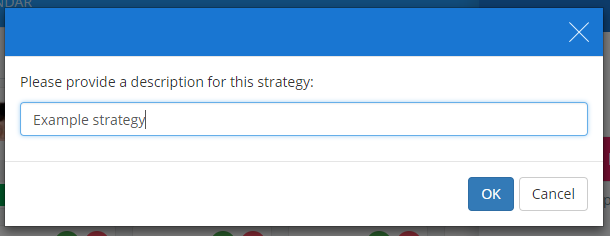
A popup dialog will appear. Enter a description of the strategy into the text field and click on the OK button.
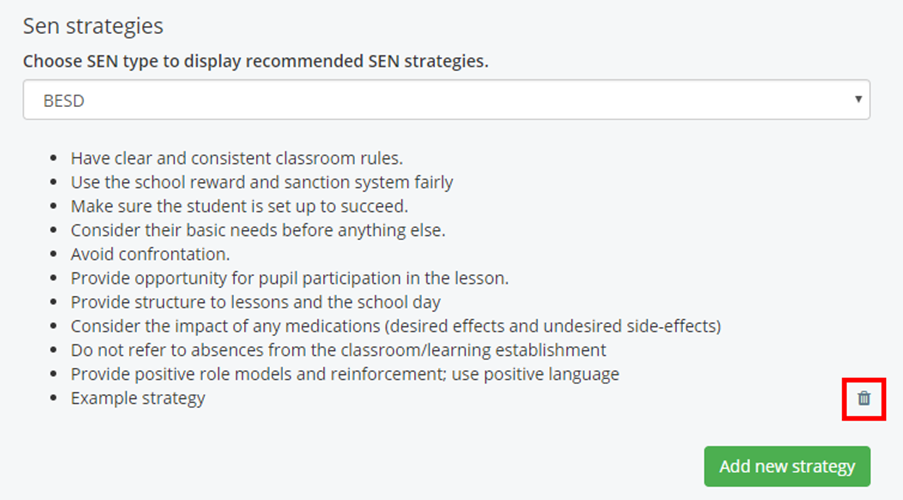
The new strategy will appear in the list of strategies. To delete the strategy, click on the bin icon next to the strategy.
Was this article helpful?
That’s Great!
Thank you for your feedback
Sorry! We couldn't be helpful
Thank you for your feedback
Feedback sent
We appreciate your effort and will try to fix the article