If you have set up detention types in Class Charts, you can also give them a default time to be scheduled.
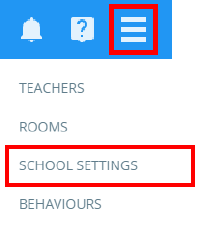
To set a default time for a detention type, click on the three lines menu in the top right hand corner and select School Settings form the list of available options.
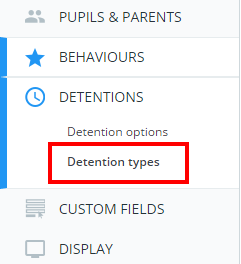
Next, click on the Detentions tab from the left hand menu and select Detention types.
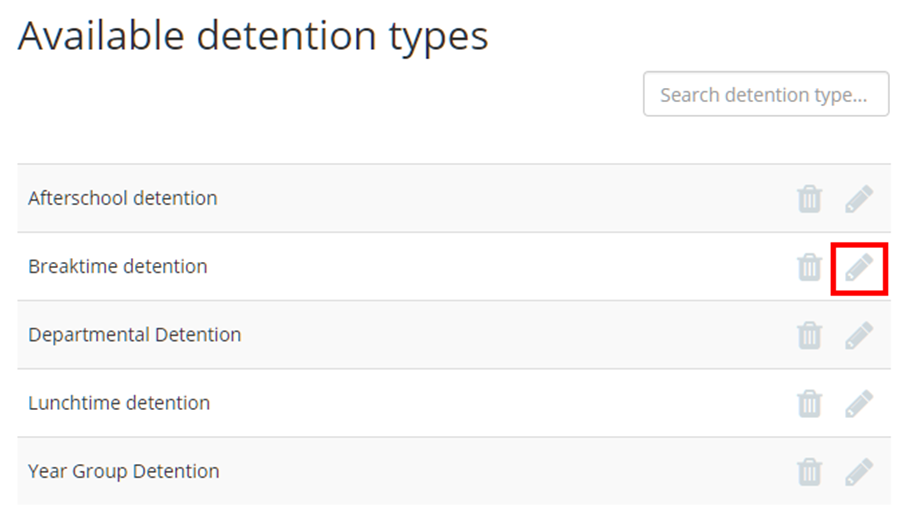
You will be presented with a list of detention types that have been set up at your school. Click on the pencil icon next to a detention type to begin editing it.
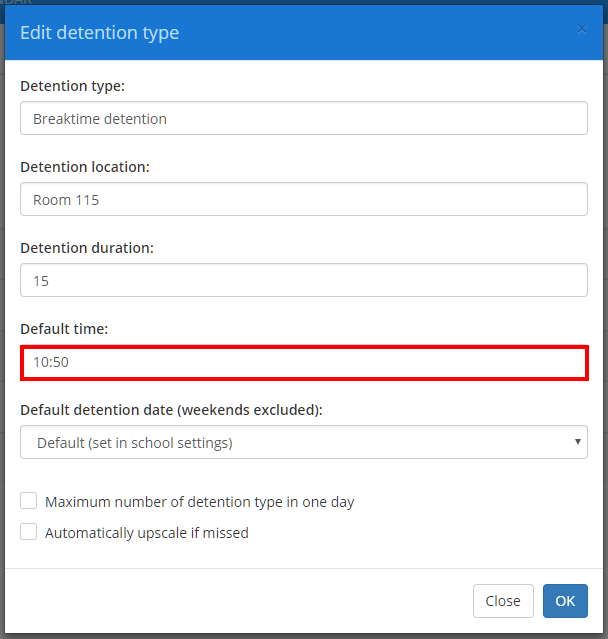
The Edit detention type popup will appear. Click on the Default time field to select a new default time for detentions of this type. Once you’re happy with your changes, click on the OK button to save your changes.
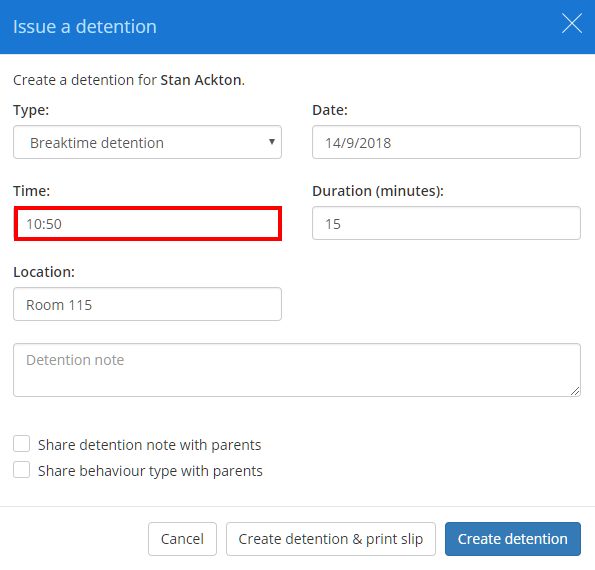
The next time you issue a detention of the selected type, the Time field will be prepopulated with the detention type’s default time.
Was this article helpful?
That’s Great!
Thank you for your feedback
Sorry! We couldn't be helpful
Thank you for your feedback
Feedback sent
We appreciate your effort and will try to fix the article