If your school uses Class Charts Attendance and automatic detention upscaling, you are able to control whether or not a detention should automatically upscale, based on a pupil’s session attendance. If your school does not use automatic detention upscaling, please contact us.
Note: attendance codes given in lesson periods will not impact detention scaling, unless they have been set up to copy to a session period.
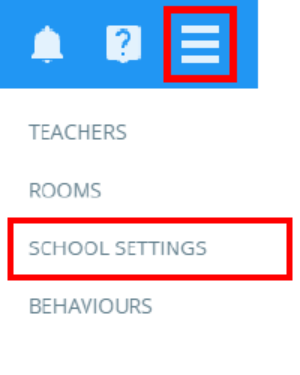
To set up attendance codes to control detention upscaling, click on the three lines menu and select Attendance from the list of available options.
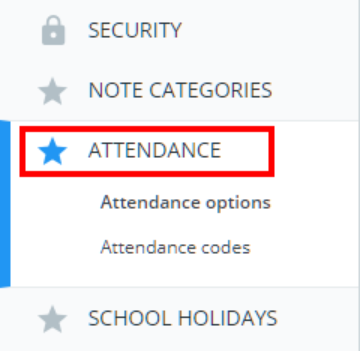
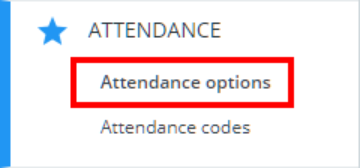
Next, click on the Attendance options tab on the left hand side.
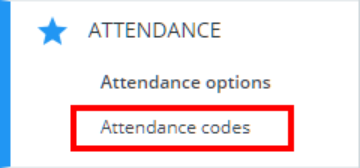
Finally, click on the Attendance codes tab on the left side side.
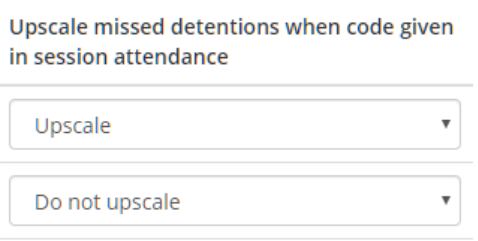
You will be presented with a list of your school’s attendance codes. Set Upscale missed detentions when code given in session attendance to Upscale if you wish to prevent detention upscaling when pupils are marked with the selected attendance code.
Controlling when session attendance should be used to determine detention upscaling
Once the attendance codes have been set up to your preferences, you will need to decide when detention upscaling should refer to AM and PM session attendance.
To control when session attendance should be considered for detention upscaling, click on the Attendance options tab on the left hand side.
You will be presented with settings which allow you to control how attendance is recorded. Set What time is PM registration taken? to the time of your choice.
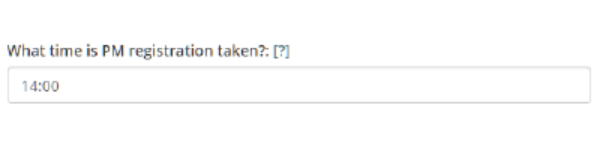
If a detention is set to upscale before the selected time, it will take the AM session attendance into account.
If a detention is set to upscale after the selected time, it will take the PM session attendance into account.
If a detention would normally upscale in a session period, but the attendance code is set to Do not upscale, the detention will appear greyed out in the Detentions manager and will not upscale.
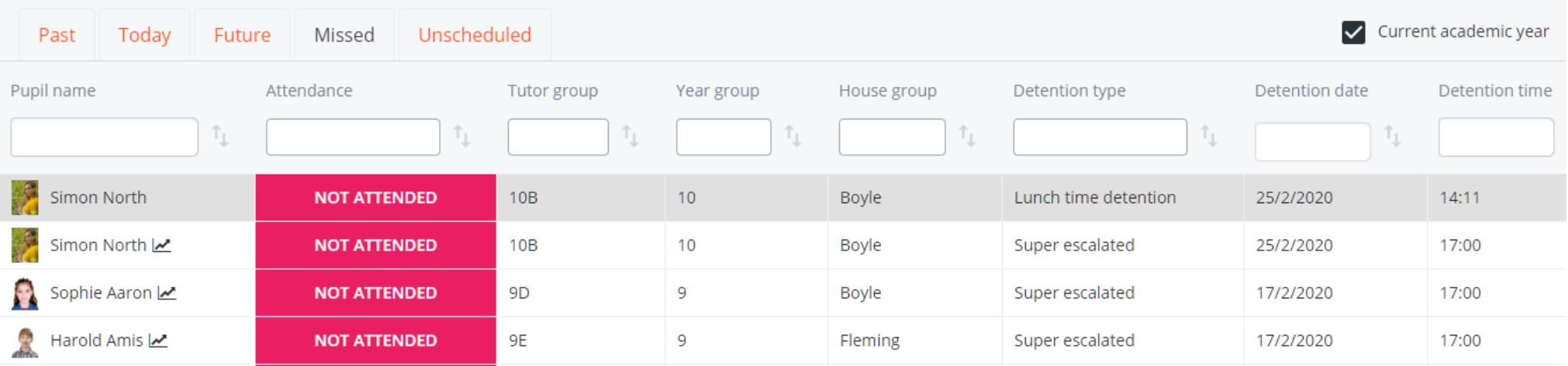
To upscale the greyed out detention, edit the detention and reschedule time / date.
Was this article helpful?
That’s Great!
Thank you for your feedback
Sorry! We couldn't be helpful
Thank you for your feedback
Feedback sent
We appreciate your effort and will try to fix the article