If you have enabled parent and / or pupil accounts at your school, you can select which behaviour types will display on their accounts. You can use this feature to restrict pupils from seeing certain behaviours in their Activity feed, or ensure that only parents can see specific behaviour types.
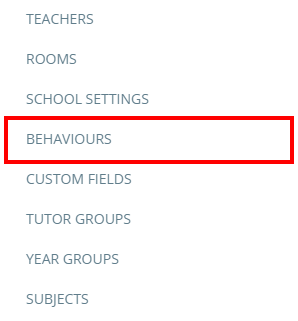
To set up behaviours to display / be hidden on pupil and parent accounts, click on the three lines menu and select Behaviours from the list of options.
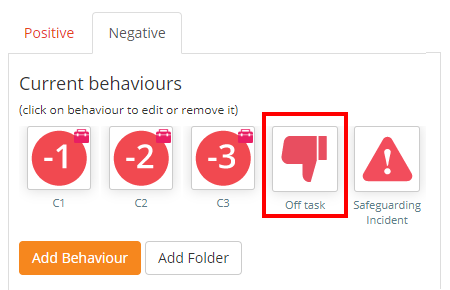
You will be presented with a list of behaviours in use at your school. Click on the behaviour you would like to restrict visibility to.
Scroll down the Edit behaviour popup and locate the Display teacher issued behaviour in parent activity feed and Display teacher issued behaviour in pupil activity feed settings. These settings are explained below:
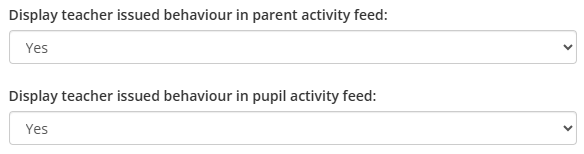
Display teacher issued behaviour in parent activity: If set to Yes, parents will see the behaviour within the their child’s Activity feed. If set to No, parents will not see behaviours of this type.
Display teacher issued behaviour in pupil activity: If set to Yes, pupils will see the behaviour within the Pupil Account’s Activity feed. If set to No, pupils will not see behaviours of this type.
Was this article helpful?
That’s Great!
Thank you for your feedback
Sorry! We couldn't be helpful
Thank you for your feedback
Feedback sent
We appreciate your effort and will try to fix the article