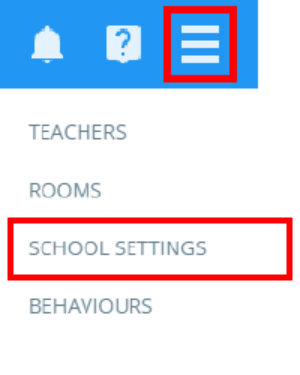
To change your school logo, click on the three lines menu in the top right corner of the page and select School Settings from the list of available options.
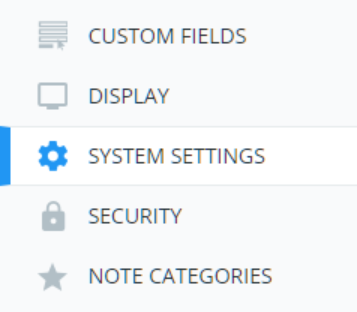
Next, click on System Settings from the menu on the left side.
Finally, click on the Upload area under the school logo heading. A file selector will appear, allowing you to select a new school logo. Once the new logo has been uploaded it will be left of the upload area.

Was this article helpful?
That’s Great!
Thank you for your feedback
Sorry! We couldn't be helpful
Thank you for your feedback
Feedback sent
We appreciate your effort and will try to fix the article