If your school uses Wonde as an integration partner with SIMS, you will be able to keep track of your daily lesson timetable in Class Charts.
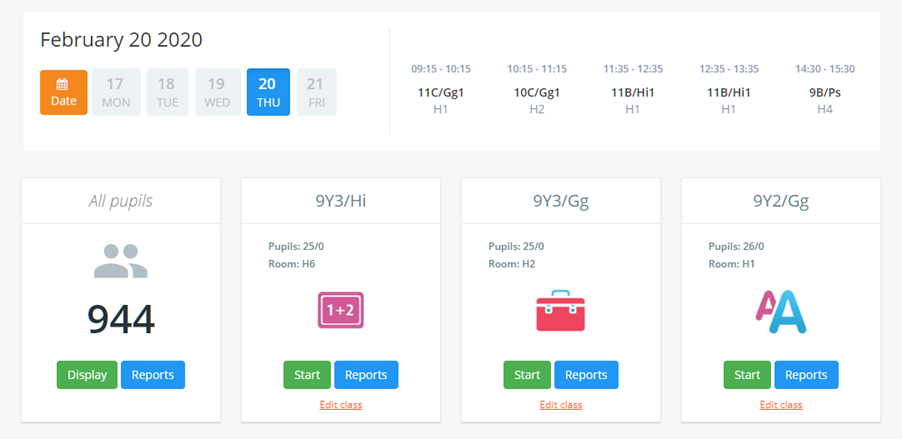
To view your lesson timetable, click on the Classes tab along the top of the page.

You will be presented with a list of your currently assigned classes. Your scheduled lessons for the day will be displayed above the list.
Viewing the timetable for different days
To view your scheduled lessons for other days of the week, click on the day of your choice.
Viewing the timetable for different weeks
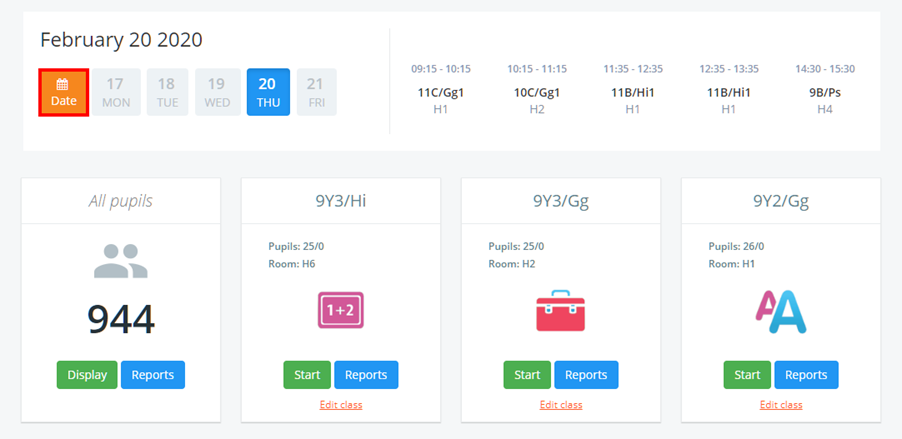
To view your scheduled lessons for a different week, click on the Date button.
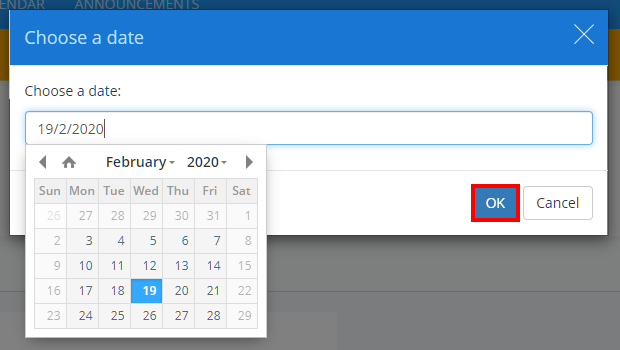
A popup will appear, allowing you to select the date of your choice. Click on the OK button to confirm your selected date.
Was this article helpful?
That’s Great!
Thank you for your feedback
Sorry! We couldn't be helpful
Thank you for your feedback
Feedback sent
We appreciate your effort and will try to fix the article