Once custom fieldsets have been set up, there may be times where you’d like to reuse parts of a fieldset whilst keeping the original.
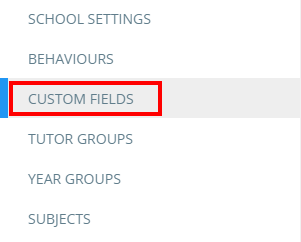
To clone a fieldset, click on the three lines menu in the top right hand corner of the page and select Custom fields from the list of available options.
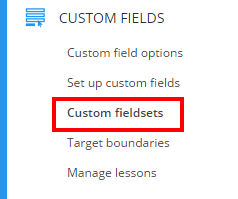
Next, select Custom fieldsets from the left hand side menu.
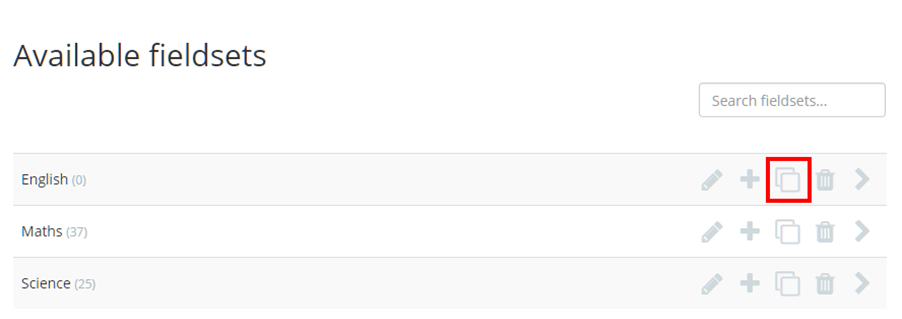
You will be presented with a list of your school’s applied custom fieldsets. Click on the pages icon for the fieldset of your choice in order to clone it.
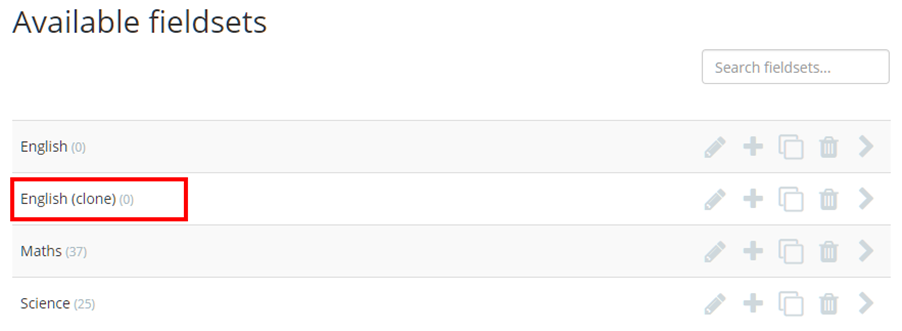
A copy of the selected fieldset will appear below the original, ready to be edited and applied to lessons.
Was this article helpful?
That’s Great!
Thank you for your feedback
Sorry! We couldn't be helpful
Thank you for your feedback
Feedback sent
We appreciate your effort and will try to fix the article