When setting up behaviours in Class Charts, it may be appropriate to always track the outcome when certain behaviours are awarded to a pupil.
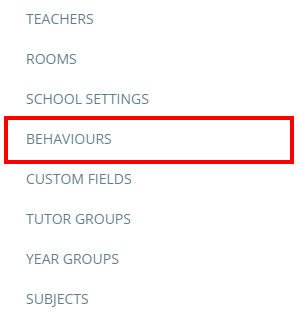
To make a behaviour require an outcome, click on the three lines menu in the top right hand corner of the page and select Behaviours from the list of available options.
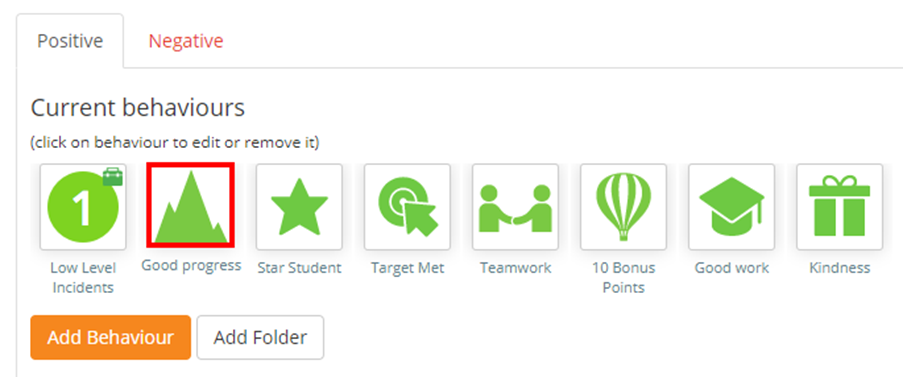
You will be presented with a list of behaviours that have been set up in your school. Click on the behaviour the behaviour that you wish to require an outcome.
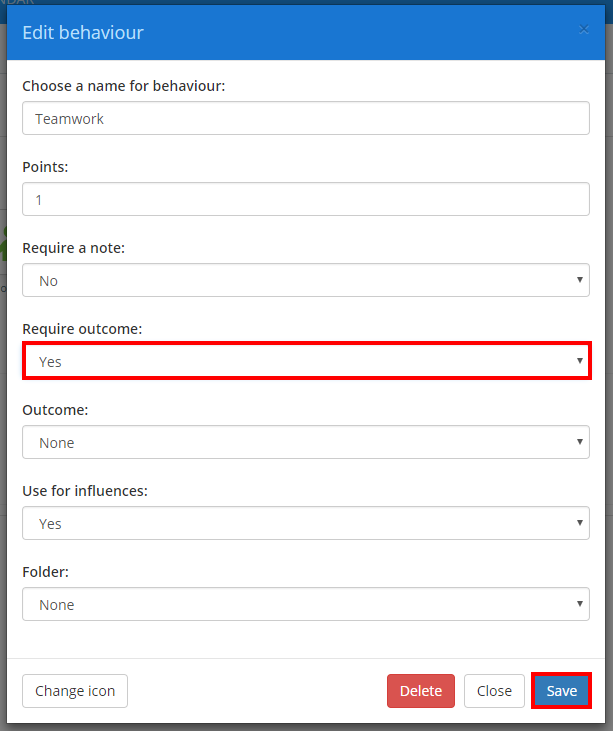
The Edit behaviour popup will appear. To ensure that an outcome is specified each time the behaviour is awarded, click on the Require outcome drop down menu and select Yes. Click on the Save button once you have done this.
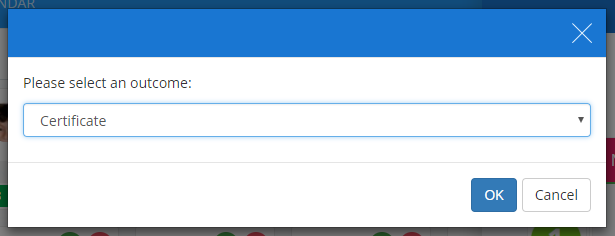
The next time this behaviour is awarded to a pupil, the outcome popup shown below will automatically open.
Was this article helpful?
That’s Great!
Thank you for your feedback
Sorry! We couldn't be helpful
Thank you for your feedback
Feedback sent
We appreciate your effort and will try to fix the article