Your main admin can reset behaviour and spendable points within the school settings.
Resetting points – Manual resetting points
Click the three lines in the top right corner and choose ‘School settings'.
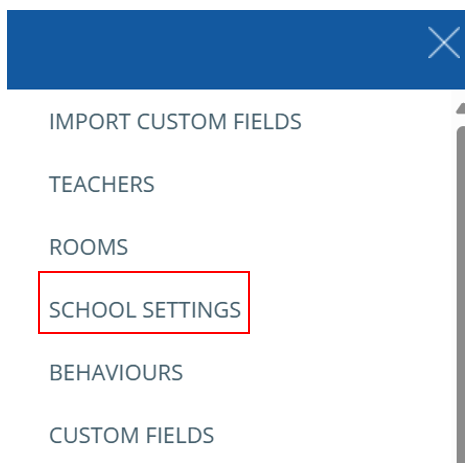
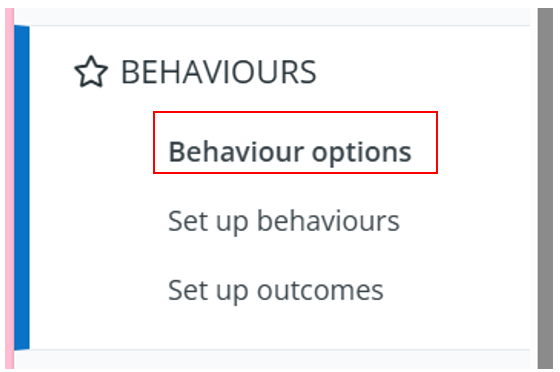
You will then need to select behaviour – behaviour options which will appear on the left-hand side.
Once this has been selected, scroll to the bottom of the page to find ‘Reset Behaviour points’, ‘Reset out of classroom points’ & ‘Reset spendable points.
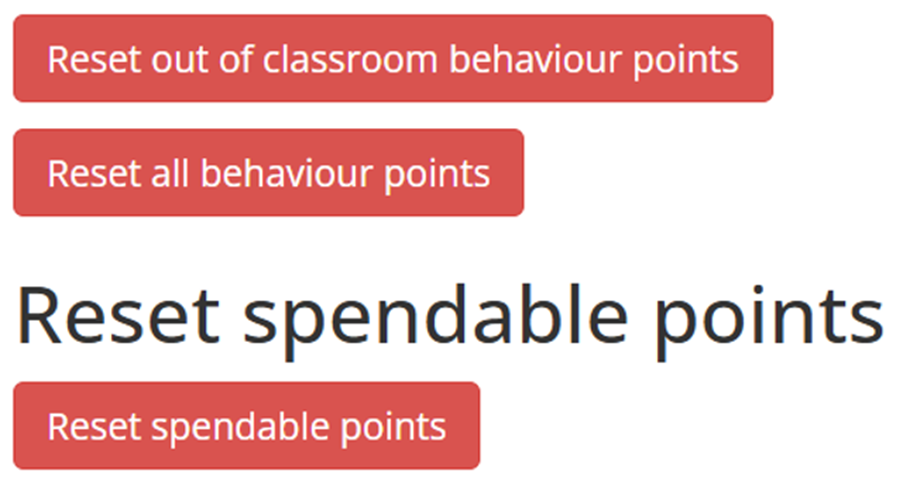
Note – Resetting behaviour points will only reset display points.
These points will still be available to view through the pupils’ page or on the Analytics tab.
Resetting points – Automatic resetting points
If you would like to change your setting to automatically reset behaviour points, this will also be an option on this page.
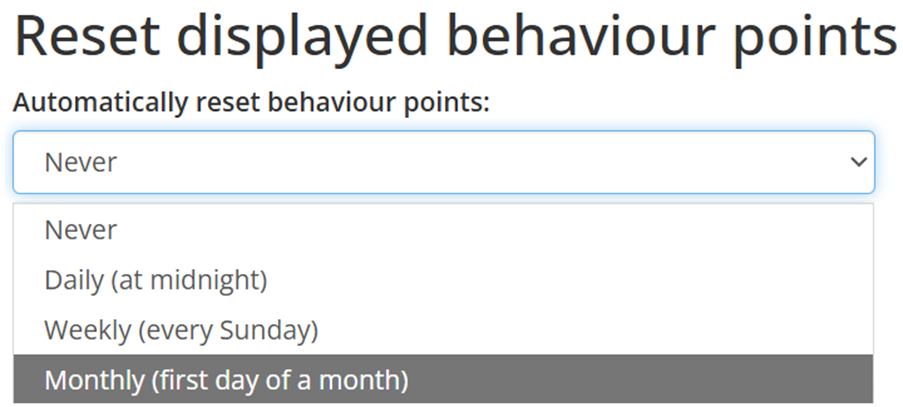
If you do not set up ‘Automatically reset behaviour points’, you will need to reset behaviour points manually.
Was this article helpful?
That’s Great!
Thank you for your feedback
Sorry! We couldn't be helpful
Thank you for your feedback
Feedback sent
We appreciate your effort and will try to fix the article