If your school uses CLS classes for tutor groups, Class Charts will allow you to see an overview of how session attendance is being taken in those classes.
To view tutor group registers for your school, click on the Analytics tab along the top of the page.

Next, click on the Attendance tab on the left hand side and select the Teachers option.
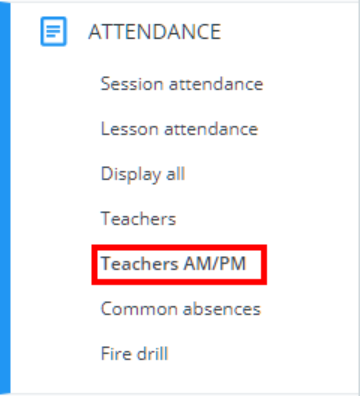
You will be presented with the tutor group registers table, where records of taking attendance are displayed for each tutor group.
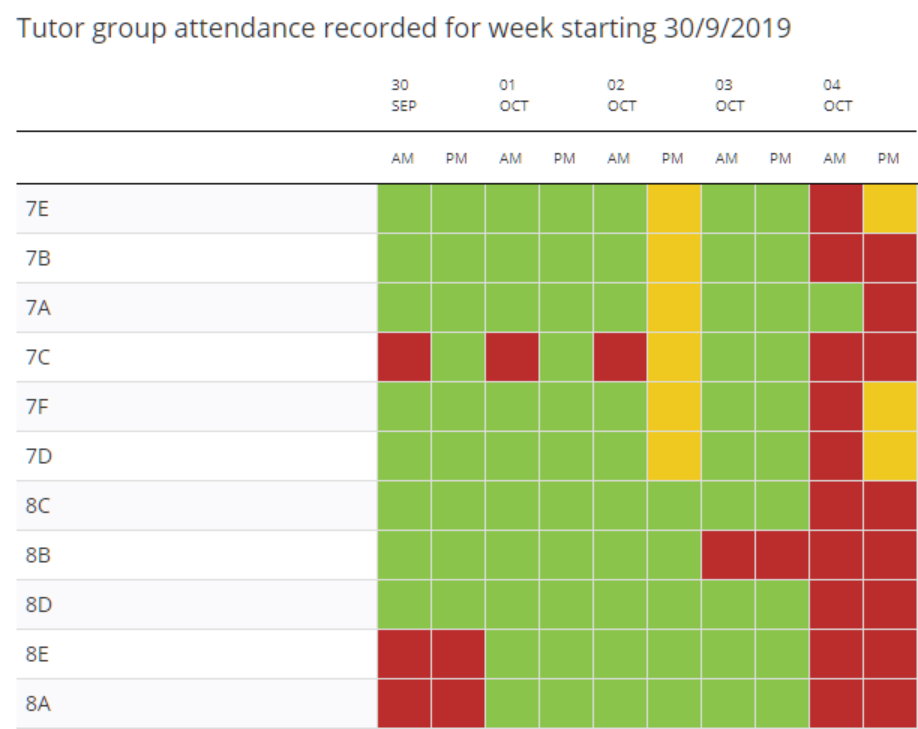
Each entry in the tutor group registers table is represented by a colour that indicates how attendance was taken. This is explained in more detail below:
Green: Full attendance was taken for the session.
Yellow: Partial attendance was taken for the lesson. Whilst some pupils will have recorded attendance for the lesson, other pupils will have no attendance records.
Red: Attendance was not taken for the session.
White: There is no scheduled session to take attendance for.
Grey: The session has not occurred yet, so attendance is yet to be taken.
Viewing attendance records for other weeks
By default, the tutor group registers table displays attendance information for the current week. To view other weeks in the academic year, use the Previous week and Next week buttons to move between the records.
Sending missed register emails
If registers are not completed for several tutor groups, it may be necessary to send the form tutor a reminder email. To send missed register emails to form tutors, click on the Send missed register emails button.
The Missed register alert popup will appear. Select who to send the alert to and click on the Send emails button. The available options are explained below:
Selected groups: Select this option to send an email to currently highlighted form tutors. To highlight a form tutor, click on their name in the teacher attendance records table.
Include today’s missed AM: Tick this checkbox to include missed AM registers within the missed register email.
Include today’s missed PM: Tick this checkbox to include missed PM registers within the missed register email.
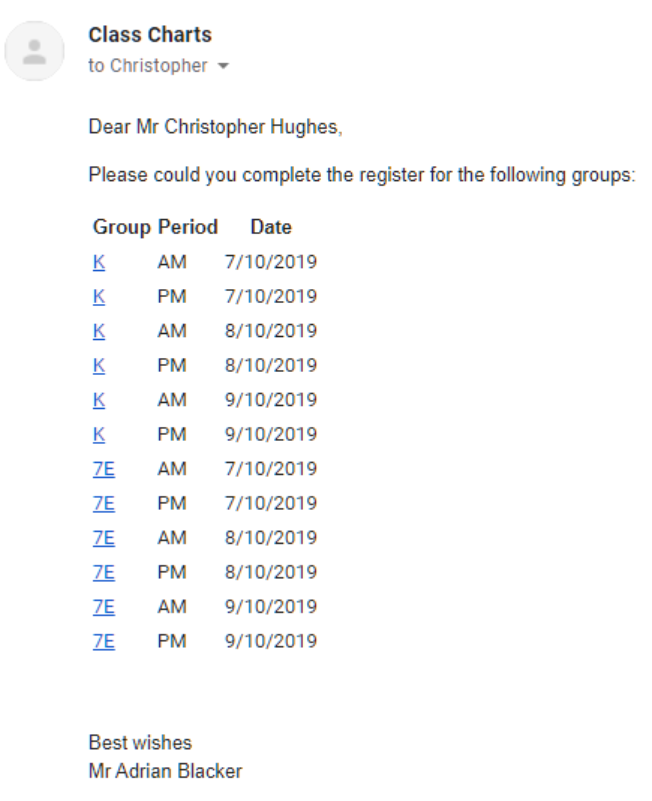
Form tutors will then receive an email similar to the one shown below. They will be able to click on the tutor group name and complete the register.
Exporting to Excel
To export the displayed tutor group records to Excel, click on the Export to Excel button.
A spreadsheet copy of the missing registers table will be generated.
Was this article helpful?
That’s Great!
Thank you for your feedback
Sorry! We couldn't be helpful
Thank you for your feedback
Feedback sent
We appreciate your effort and will try to fix the article