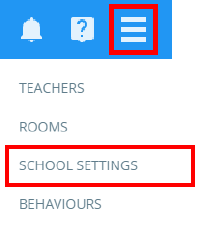
To set a default display method for the detentions manager, click on the three lines menu and select School Settings from the list of available options.
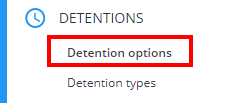
Next, click on the Detentions tab to the left hand side of the page and ensure that Detention options has been selected.
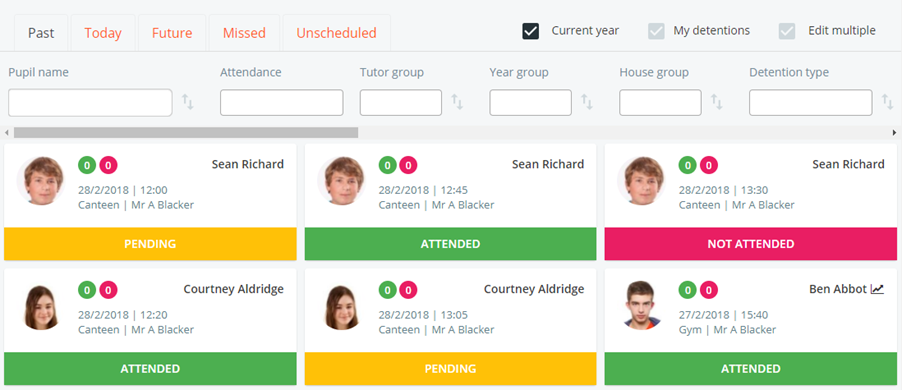
You will see a setting labelled Default display in detentions manager. Select Card view from the drop down menu to display detentions in an easy to read grid format.

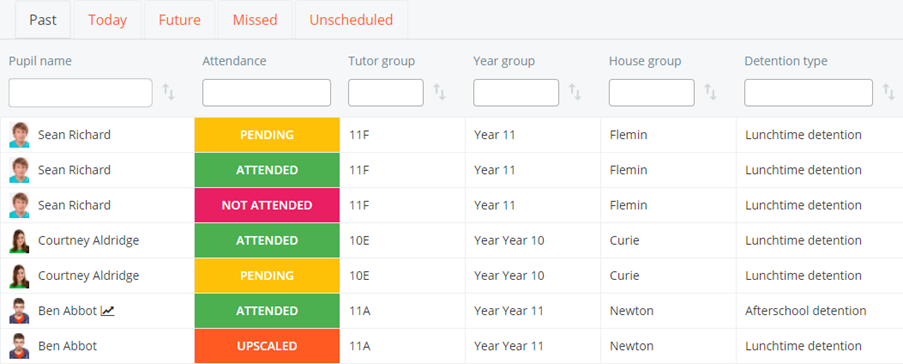
Alternatively, to view detentions in a table format, select List View from the drop down menu.

Was this article helpful?
That’s Great!
Thank you for your feedback
Sorry! We couldn't be helpful
Thank you for your feedback
Feedback sent
We appreciate your effort and will try to fix the article