In this modern age with passwords to remember for every website you visit, it is inevitable that you will sometimes forget one. With Class Charts, you can reset your password to regain access to your account.
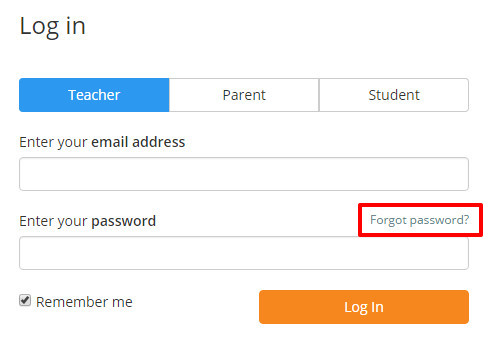
To reset your Class Charts password, click on the Forgot password link from the login page.
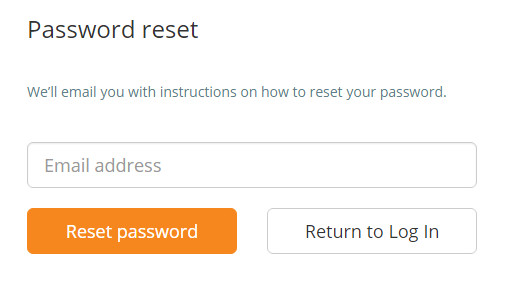
Next, enter the email address you use to log in and click on the Reset password button.
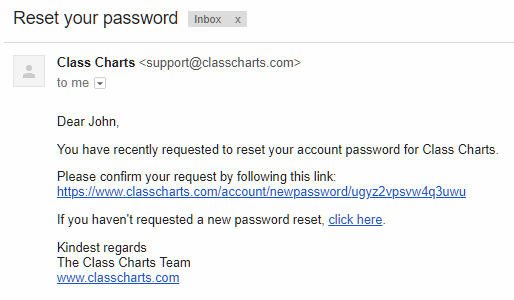
You will receive an email that asks you to confirm your password reset request. Click on the confirmation link to approve the request. If the email does not appear in your inbox within 5 minutes, please check your spam folders.
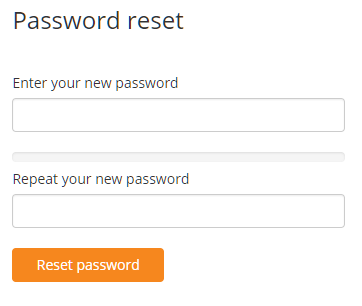
After clicking the confirmation link you will be redirected to the password reset page. Enter a new password of your choice and click on the Reset password button.
For maximum security, we recommend that you create a complex password that includes capital letters, numbers and symbols.
You will now be able to log into Class Charts using your new password.
Was this article helpful?
That’s Great!
Thank you for your feedback
Sorry! We couldn't be helpful
Thank you for your feedback
Feedback sent
We appreciate your effort and will try to fix the article