Class Charts allows you to refer incidents such as awarded behaviours and detentions on to other members of staff.
To refer an incident, click on the Activity tab at the top of the page.

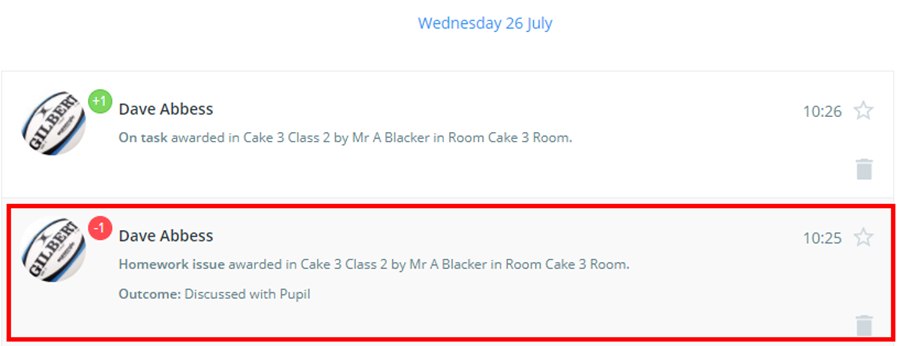
You will see a list of awarded behaviour incidents that are updated in real-time. Click on the behaviour or detention that you would like to refer.
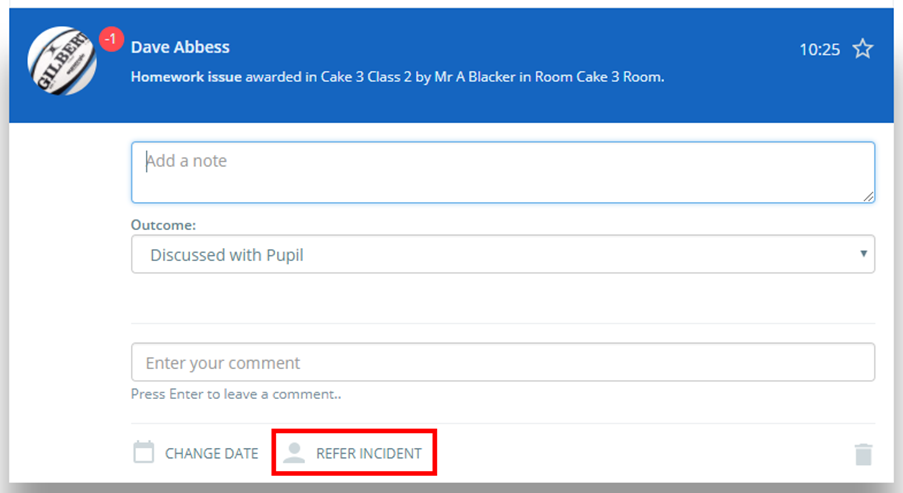
The selected incident will be expanded in more detail. Click on the Refer incident button to share the incident.
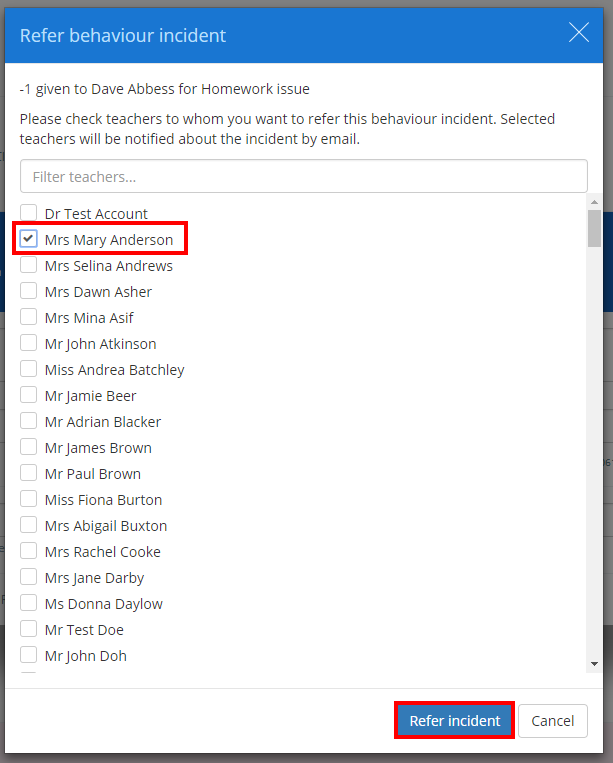
The Refer behaviour incident popup dialog will appear. Select which staff members to refer the incident to by ticking the checkbox next to their name and clicking the Refer incident button.
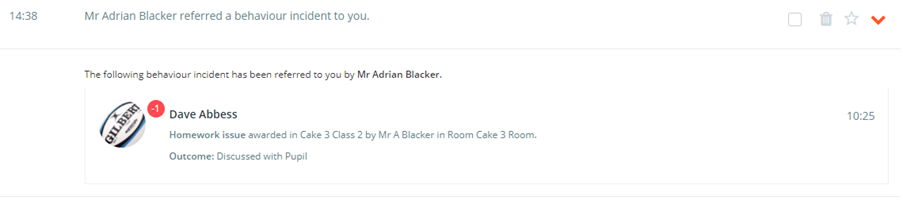
The incident will now be referred. Selected staff members will receive an email about the referral, as well as display the incident in their notifications centre.
Was this article helpful?
That’s Great!
Thank you for your feedback
Sorry! We couldn't be helpful
Thank you for your feedback
Feedback sent
We appreciate your effort and will try to fix the article