When behaviours are awarded to pupils, staff members may wish to add their own comments to the incidents.
To add a follow up comment to a previously awarded behaviour, click on the Activity button along the top of the page.

Once you’ve located the behaviour activity of your choice, click on the comments box, type in your comment and press the enter key on your keyboard.
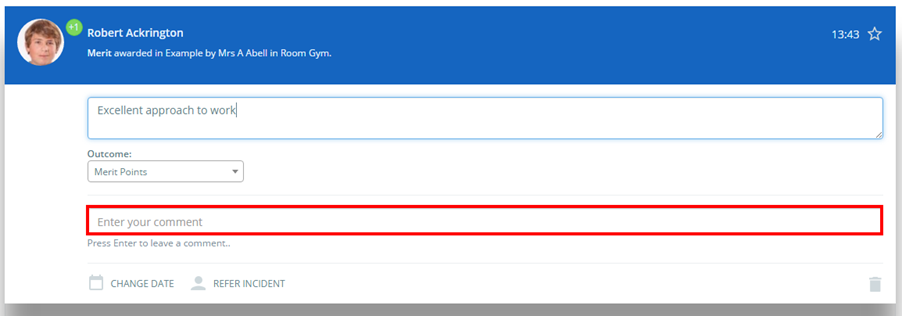
Your comment will be saved, allowing other staff members to view your comment.
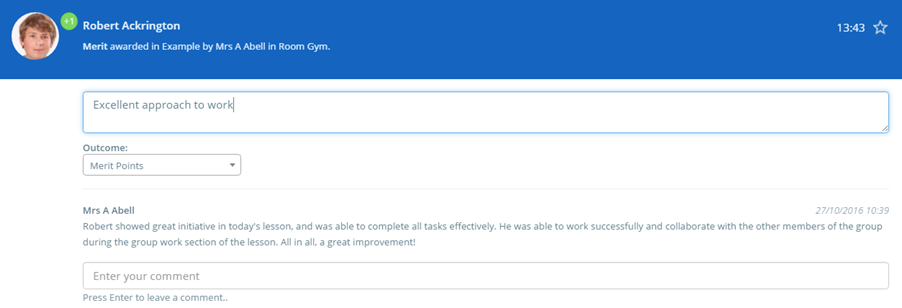
To do this within a classroom, click on the pupil card and locate the behaviour activity of your choice, click on the comments box, type in your comment and press the enter key on your keyboard.
Was this article helpful?
That’s Great!
Thank you for your feedback
Sorry! We couldn't be helpful
Thank you for your feedback
Feedback sent
We appreciate your effort and will try to fix the article