To manage reported absences for your school, click on the Analytics tab along the top of the page

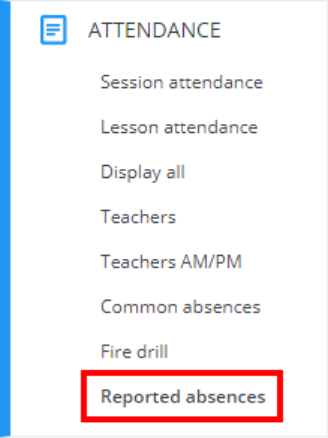
Next, click on the Attendance tab on the left hand side and select the Reported absences option.
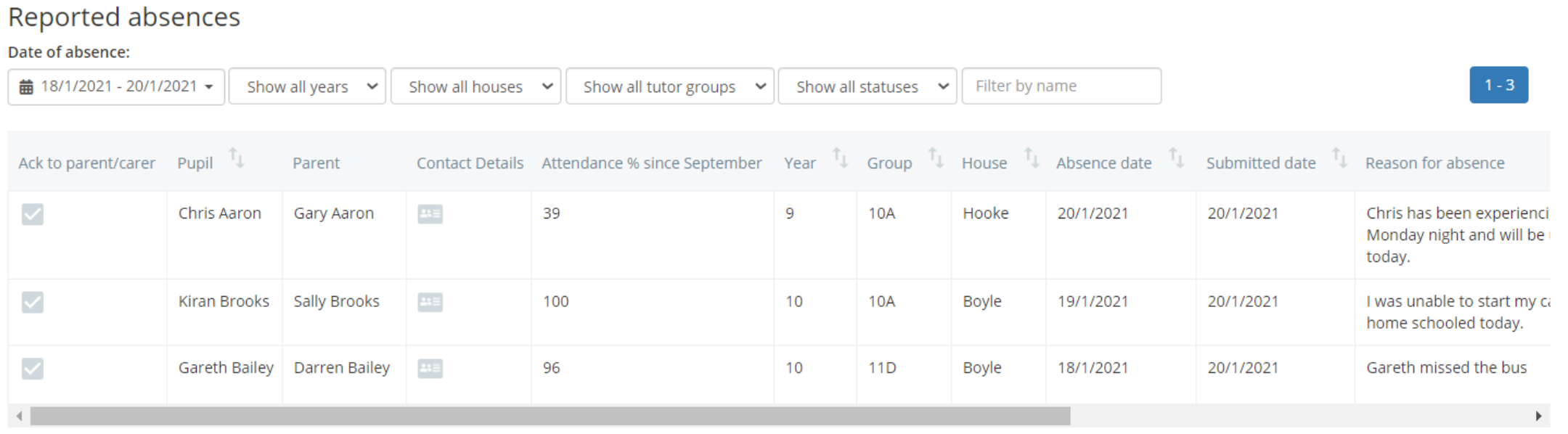
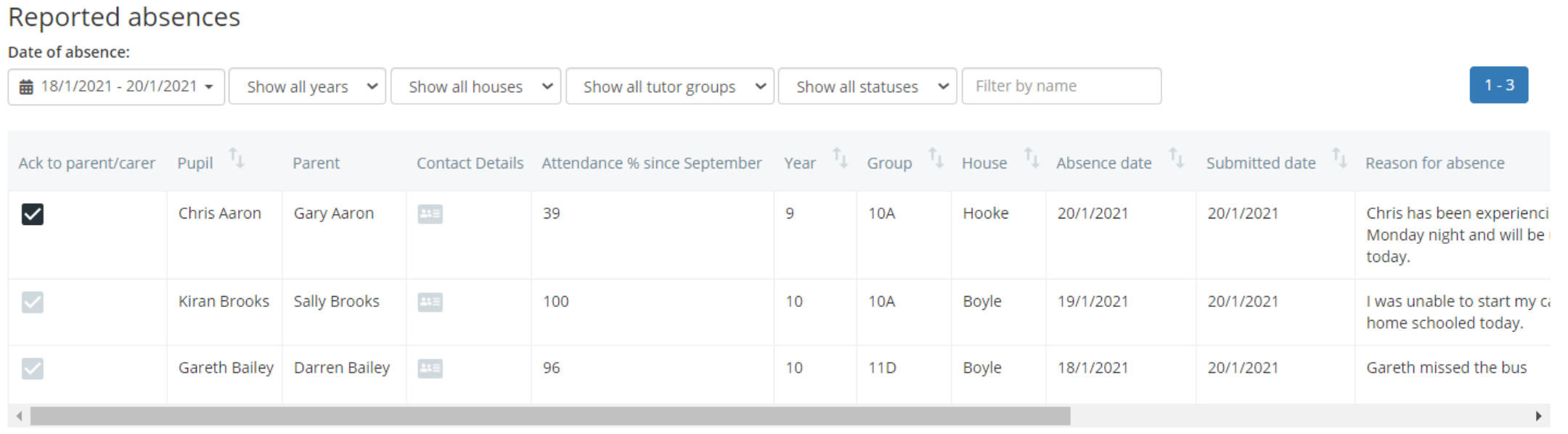
You will be presented with the Reported absences table, which lists each absence that has been reported by parents.
Each entry in the reported absences table contains key information, including the reporting parent, the pupil’s attendance since September, the date of the absence, the reason for the absence and any documents that can be used as evidence (if provided).
Acknowledging a reported absence
Once absences have been reported they can be acknowledged. Acknowledgement makes parents / carers aware that you have read their absence report.
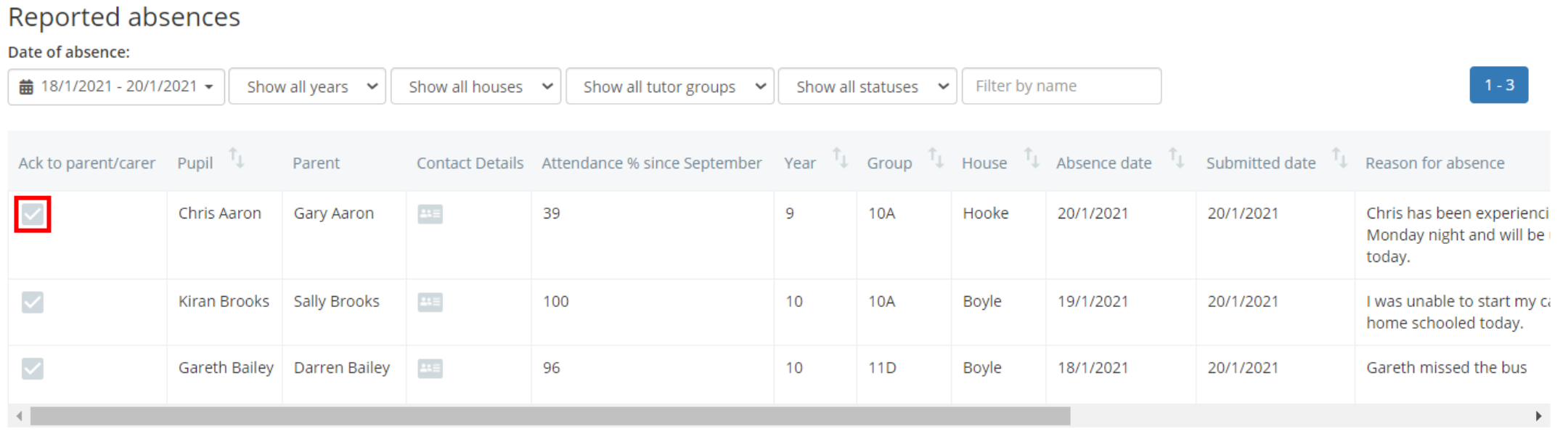
To acknowledge a reported absence, tick the checkbox in the Ack to parent / carer column for the reported absence of your choice.
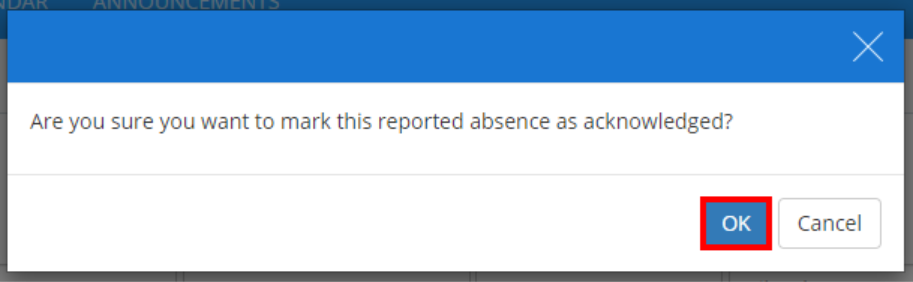
A confirmation popup will appear. Click on the OK button to continue.
The checkbox will become ticked and your acknowledgment of the reported absence will appear in the parent’s account.
Marking a recorded absence
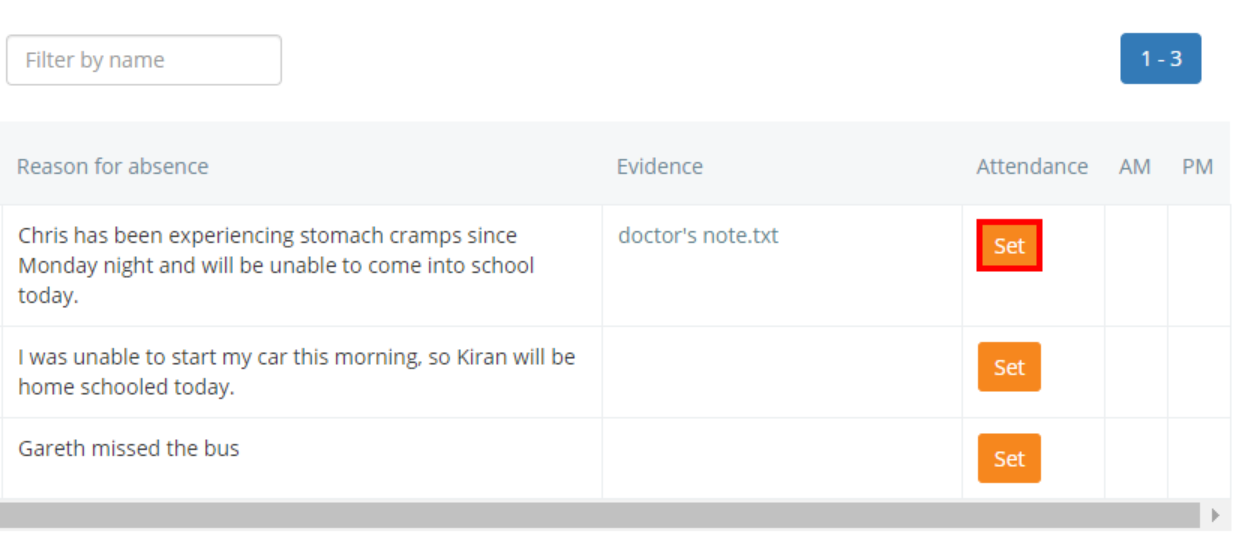
To mark a reported absence, click on the Set button for the absence report of your choice.
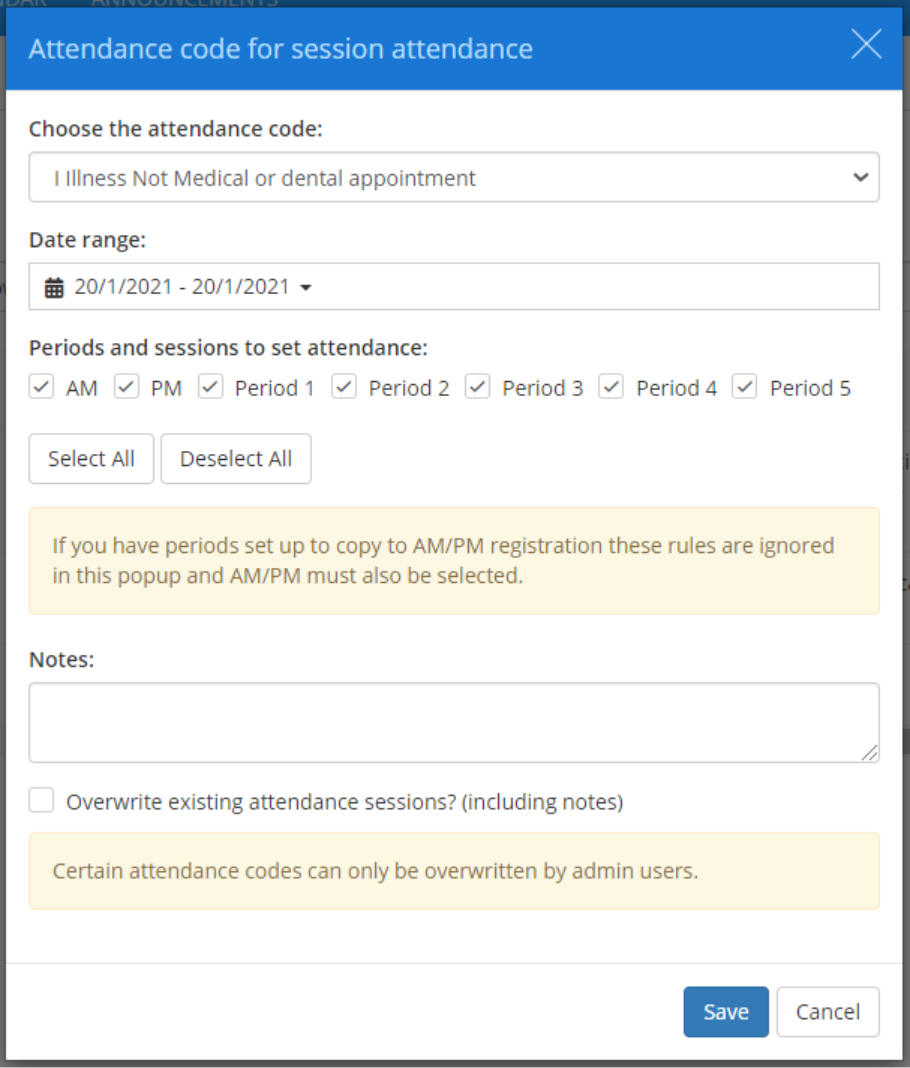
The Attendance code popup will appear. Enter the details of the reported absence into the form provided and click on the Save button to continue.
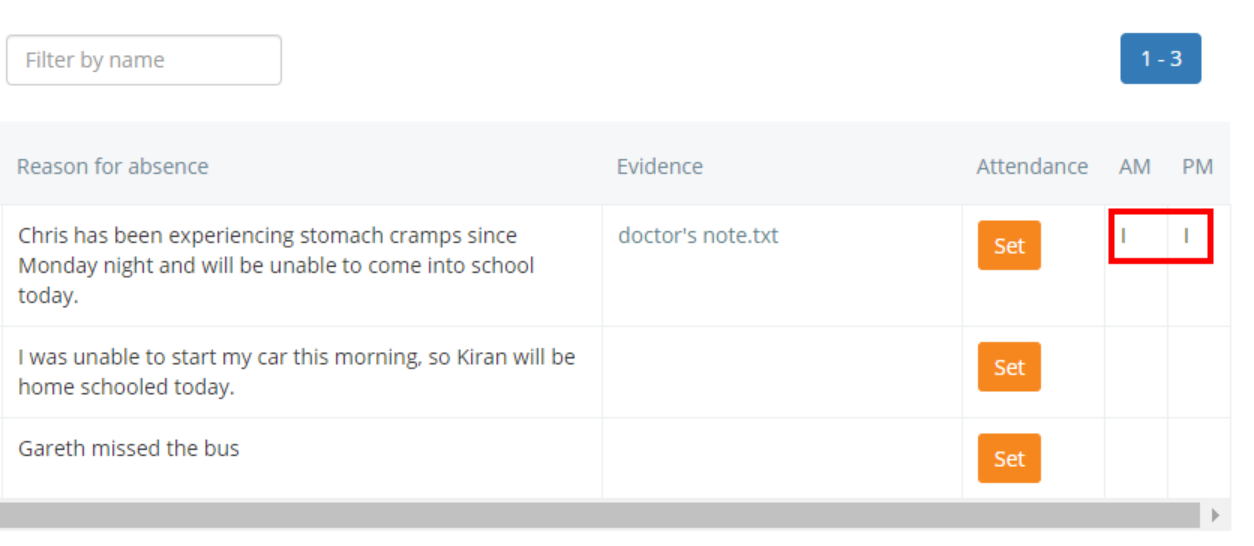
The pupil’s attendance records will be updated for the selected periods.
Was this article helpful?
That’s Great!
Thank you for your feedback
Sorry! We couldn't be helpful
Thank you for your feedback
Feedback sent
We appreciate your effort and will try to fix the article