It may be useful for teachers to receive reminders when their homework submissions need to be marked. Class Charts provides the ability to display in class warnings when a homework task’s due date has been reached.
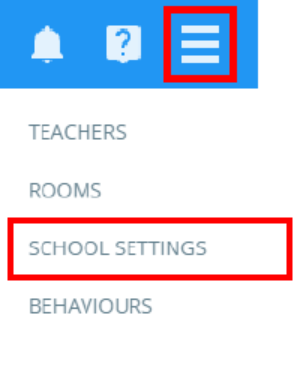
To set up in class warnings when homework submissions are not marked, click on the three lines menu in the top right hand corner of the page and select School settings from the list of available options.
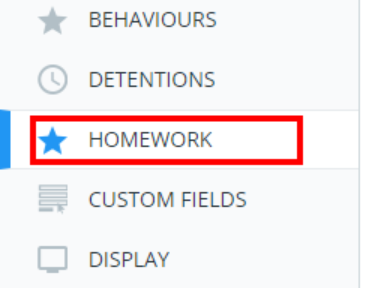
Next, select Homework from the menu on the left hand side.
You will be presented with a list of homework settings. Set Show homework warning in class if submission not taken to Enabled.

With this setting enabled, teachers will see a warning banner for homework tasks that are due today. Clicking on the homework task’s title will allow teachers to mark homework submissions.
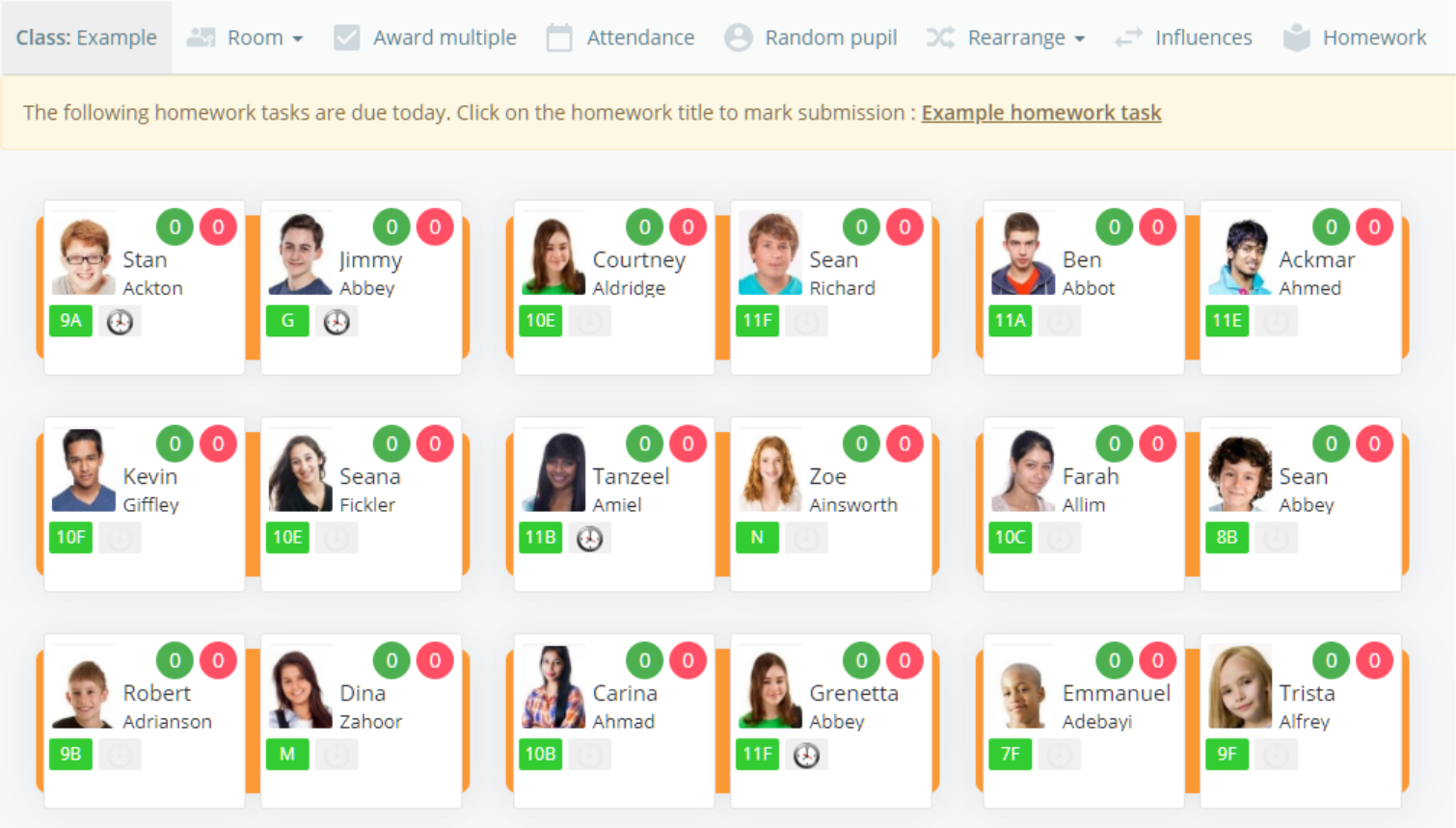
If over half of the pupils assigned to the homework task have had their submissions marked, the homework task will disappear from the warning banner.
Was this article helpful?
That’s Great!
Thank you for your feedback
Sorry! We couldn't be helpful
Thank you for your feedback
Feedback sent
We appreciate your effort and will try to fix the article