Class Charts allows you to set up a public version of your school's homework calendar, so that you can share it with parents or embed it on your school’s website.
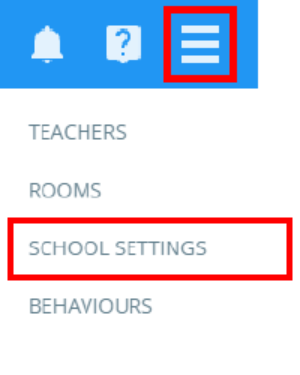
To enable the public homework calendar, click on the three lines menu in the top right hand corner of the page and select School settings from the list of available options.
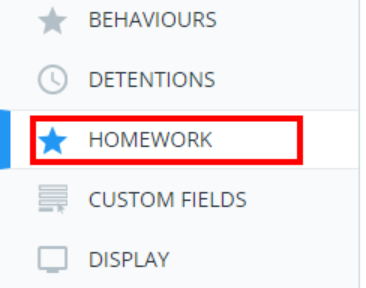
Next, select Homework from the menu on the left hand side.
You will see a setting labelled public homework calendar. Selecting Enabled from the drop down menu will display your school’s public homework calendar URL underneath the setting, along with an iframe implementation that can easily be added to your school’s website.

Was this article helpful?
That’s Great!
Thank you for your feedback
Sorry! We couldn't be helpful
Thank you for your feedback
Feedback sent
We appreciate your effort and will try to fix the article