You can change the default display setting for homework tasks on the homework calendar, homework reports and pupil / parent accounts.
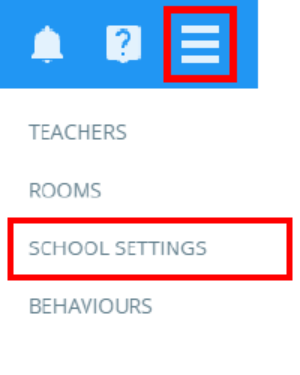
To change the default display preference for homework tasks, click on the three lines menu in the top right hand corner of the page and select School settings from the list of available options.
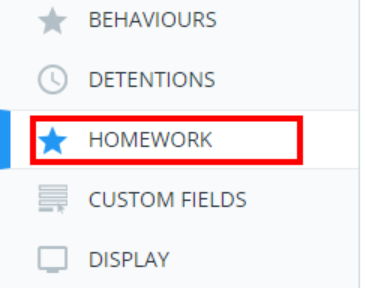
Next, select Homework from the menu on the left hand side.
You will see a setting labelled Homework display date. Select an display option from the drop down menu.
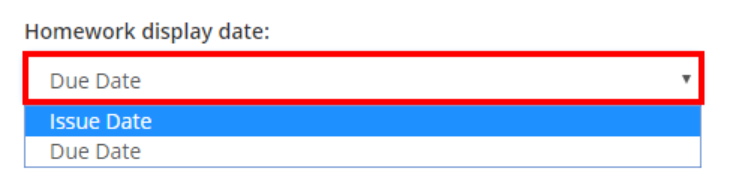
Homework can be displayed in one of two ways:
Issue date: Homework tasks will be displayed in order of the date they were set.
Due date: Homework tasks will be displayed in order of the date they are due.
Was this article helpful?
That’s Great!
Thank you for your feedback
Sorry! We couldn't be helpful
Thank you for your feedback
Feedback sent
We appreciate your effort and will try to fix the article